Showing posts with label W10. Show all posts

Tuesday, March 1, 2022

Add-WindowsCapability failed. Error code = 0x800f0954 – RSAT Fix

This is a post by Paul at the sysadmin channel

If you have tried to install Remote Server Administration tools for Windows 10 version 1809, 1903 or later you might have come across: Add-WindowsCapability failed. Error code = 0x800f0954. If you haven’t, that’s great! If you have, you’re in luck because today we’re going to go over the steps needed to fix the issue.
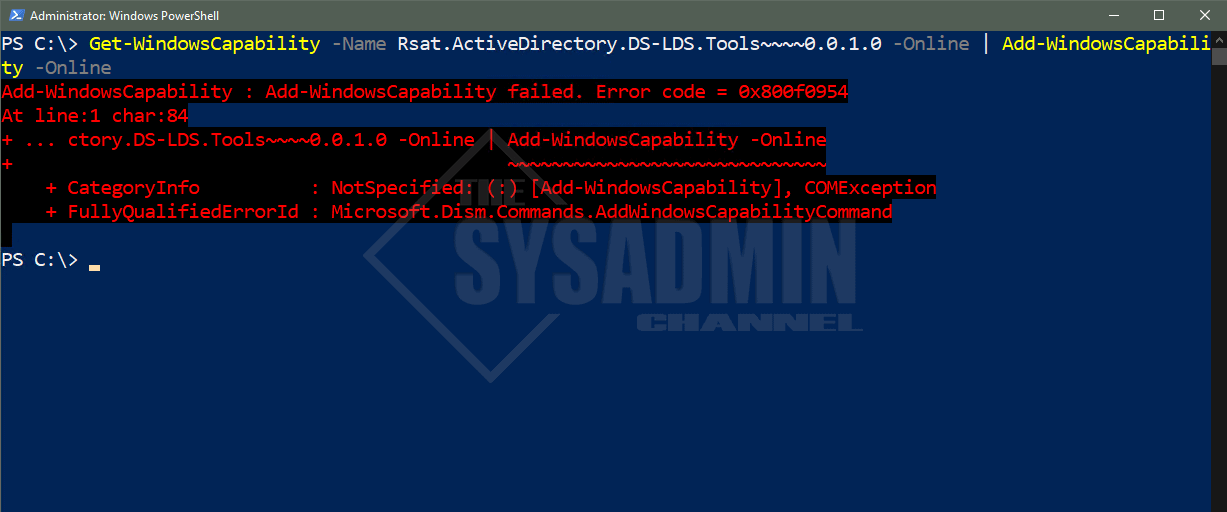
Add-WindowsCapability -Name RSAT Error

Friday, January 3, 2020

How to remove the recovery partition

These are the steps to remove the recovery partition in windows, thanks to https://superuser.com/questions/1073883/cant-remove-recovery-partition

  1. Go to start and type cmd (this is called command prompt)
  2. In command prompt type diskpart and hit enter
  3. Type list disk and hit enter
  4. From the list of disks find the one you want to work with (I believe in your case there is only one so it should be easy)
  5. Once you find the drive you are looking for type select disk 'numberofdrive'
  6. Now type list partition and find the partition you want to work with
  7. Once you have identified the partition in question type select partition 'numberofpartition'
  8. Now type delete partition (WARNING ONCE YOU DO THIS THERE IS NO GOING BACK) and hit enter , if it says "cannot delete a protected partition..." use delete partition override (Note you will also have to repeat these steps with the partition in front of the recovery partition if you plan on extending the system volume)
  9. Once it is finish type exit and hit enter

Wednesday, September 30, 2015

Uninstall Windows 10 update package on W7 and W8.x

Uninstall Windows Update Package KB3035583 to remove that upset tool for upgrade Windows 7 and 8.x to Windows 10

image